
Wheel of Names by Random Wheel Spin
Online Education

Billingshurst, West Sussex
, Billingshurst, West Sussex
, England
Business profile
Random Wheel Spin is a free wheel of names spinner and random name picker for teachers and students.
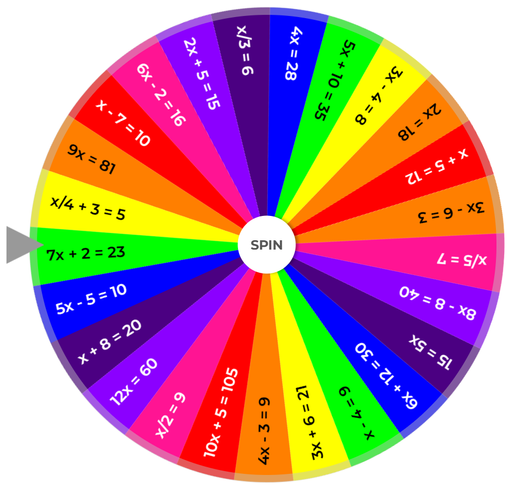
Random Wheel Spin is a free wheel of names spinner and random name picker for teachers and students. The tool uniquely allows educators to store hidden activities, actions or questions behind each wheel entry. The hidden activities/actions feature make the process of learning more interactive and keep users engaged and motivated. The features are designed specifically with educators, students, and classroom engagement in mind. For example: Teachers can load lesson content directly into the wheel—math problems, science questions, creative writing prompts, or classroom quizzes. The hidden activities, actions, questions, answers, and facts feature turns a simple spin into a two-step learning moment, adding structure and surprise that keeps students engaged. The tool integrates with Microsoft Excel, CSV, and Google Sheets, making it easy for teachers to manage class lists and lesson material. It supports visual and auditory learners with the ability to add images, spoken results, and hidden multimedia reveals. Neuro-diverse students especially benefit, as the wheel provides calm focus (almost like a virtual fidget spinner) while tying into special interests—for example, a ready-made “Shark facts” wheel created for autistic learners (my daughter loves this wheel). The platform also comes with ready-made educational templates in categories such as Classroom and Learning, which are actively used by teachers for quizzes, reviews, and student participation. The platform complements other external software too, for example Typeform and Jotform as well as Learning Management software such as interactive quizzes, role assignments via hidden reveals that the wheel software provides as well as gamifying learning journeys. Educators use the wheel for: Practice questions: Use it to randomize practice questions in a review session. Role-play: Spin for different role-play scenarios during live training. Energizer activity: Add the wheel of names to a blended learning course as an energizer activity. Using the hidden information: Hide answers, discussion points, or activities behind each spin. Fairness: Manage class participation and roles fairly. Neurodiverse learners: Support neurodiverse students with visual, auditory, and calming engagement. Random student selection: Call on students unpredictably to reduce bias. Quiz & question wheels: Hide a question, prompt, or answer behind each name. When the wheel lands, click to reveal the hidden activity — perfect for classroom quizzes or topic discussions. Group assignments: Assign roles or teams randomly using hidden entries. Brainstorm prompts or writing tasks: Preload discussion topics behind entries for creative exercises. Classroom routines or rewards: e.g., “line leader,” “homework checker,” or “mystery prize.” Wheels can be saved, shared and even embedded in external websites. All of this makes Random Wheel Spin much more than a game tool. It’s a classroom engagement platform that helps educators make lessons and learning interactive, inclusive, and fun.
Gallery
Customer reviews
No reviews yet
Write a review
FAQs
- What is Random Wheel Spin?
Random Wheel Spin is a fun, free and easy-to-use online wheel of names spinner that helps you make decisions or choose random outcomes. Whether you're picking a winner, selecting a meal, doing classroom activities, choosing a name, or deciding on your next travel destination — the wheel takes care of it all!
- How To Use the Wheel
Simply click the Add Names button and enter names and/or images. Long lists of names can optionally be imported quickly via Excel/CSV/Google Sheets. If you want to add hidden information click the Add Hidden Activities & Actions toggle at bottom of the Add Names screen. On the next screen choose which wheel entry you want to add hidden information against. Click Spin in the center of the wheel. The wheel will spin for about 8 seconds and a name will be selected at random. If the selected wheel entry has hidden information behind it a Click me button will appear. Click the button to view the hidden information! You can see results history by clicking View Results on the main wheel page. You can optionally customize the wheel by clicking the "Advanced >>" link where you can add a background image to the full page and you can also mute sounds or alter the spin duration.